What Lumi Circles is
Lumi Circles is a private community inside Lumi for homeschool families. Think of a Facebook group that was rebuilt around privacy and the way co-ops actually run: a private room for your co-op, a place to plan, Town Square for all Lumi parents, and a co-op finder.
Circles is for parents only. Kids do not have accounts, profiles or chat in Circles. It is where grown-ups plan the real-life meetups where kids make friends.
It is available only to active Lumi Academy and Lumi High members. Every person inside is a parent with a paid Lumi account, so there is no public sign-up and nobody can drop in from the open internet. It is text only: no photos and no video, anywhere.
What parents get
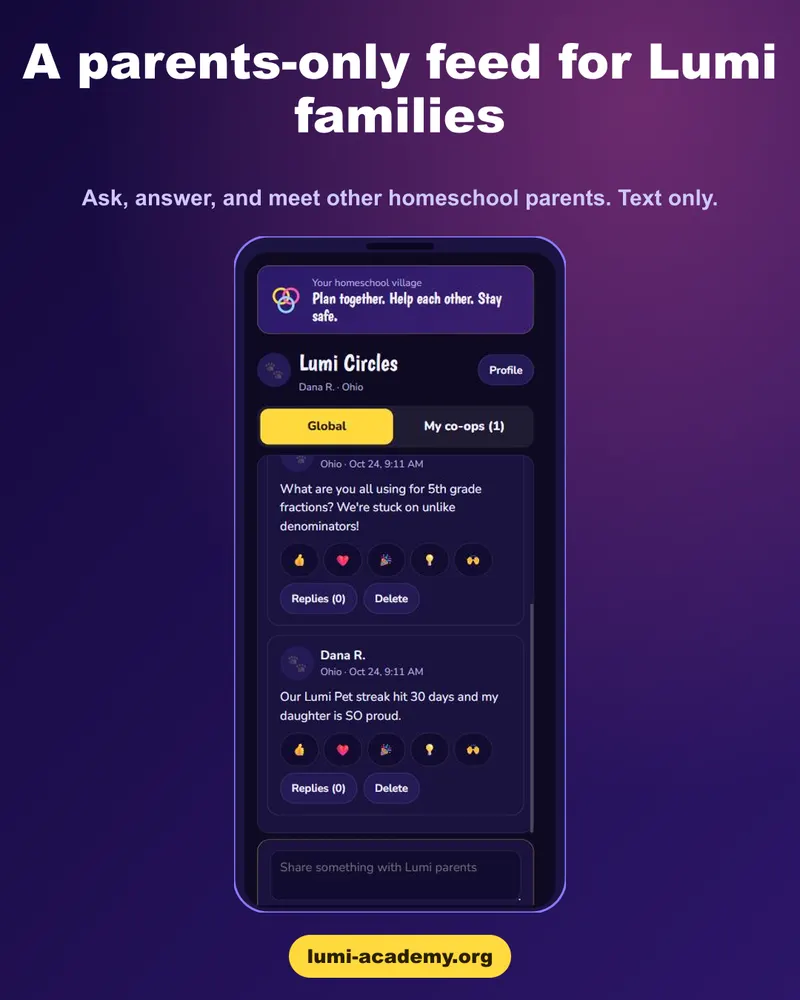
- Town Square. One text-only room for every paying Lumi parent. Ask questions, share what worked and meet other homeschool parents. Posts are checked before they go up.
- Private co-op rooms and the Co-op Finder. Start a co-op with a name, a short bio and your goals, or browse the finder and ask to join. Co-op owners can ask joining families a few questions first.
- Invite links and QR codes. Bring your own families in with a link or a printable QR poster.
- Plans and sign-ups. Post a meetup, collect RSVPs and let families sign up for jobs such as snacks, setup and helpers.
- Co-op chat and topics. Parent chat and threaded topics for each co-op.
- Family profiles. Parents list their children's age brackets and what they are looking for in a co-op, so owners know who they are welcoming before they accept a request.
Built for parents, not kids
Circles has no kid chat of any kind. Children never get a profile, a room or a way to message anyone in Circles. Parents never post their children's names; other parents only see age brackets such as 6 to 8.
- Only paying Lumi parents can get in.
- Text only: no photos or video, anywhere.
- Every post is checked before it goes up.
- Anyone can report a post, and reported posts are hidden while Lumi looks at them.
- Co-op rooms are private: owners choose who joins and can ask joining families a few questions first.
How to get started
See it inside Lumi
Open Lumi Circles from your Lumi dashboard, or start with a free trial of Lumi Academy first.
Start the free 48-hour trial →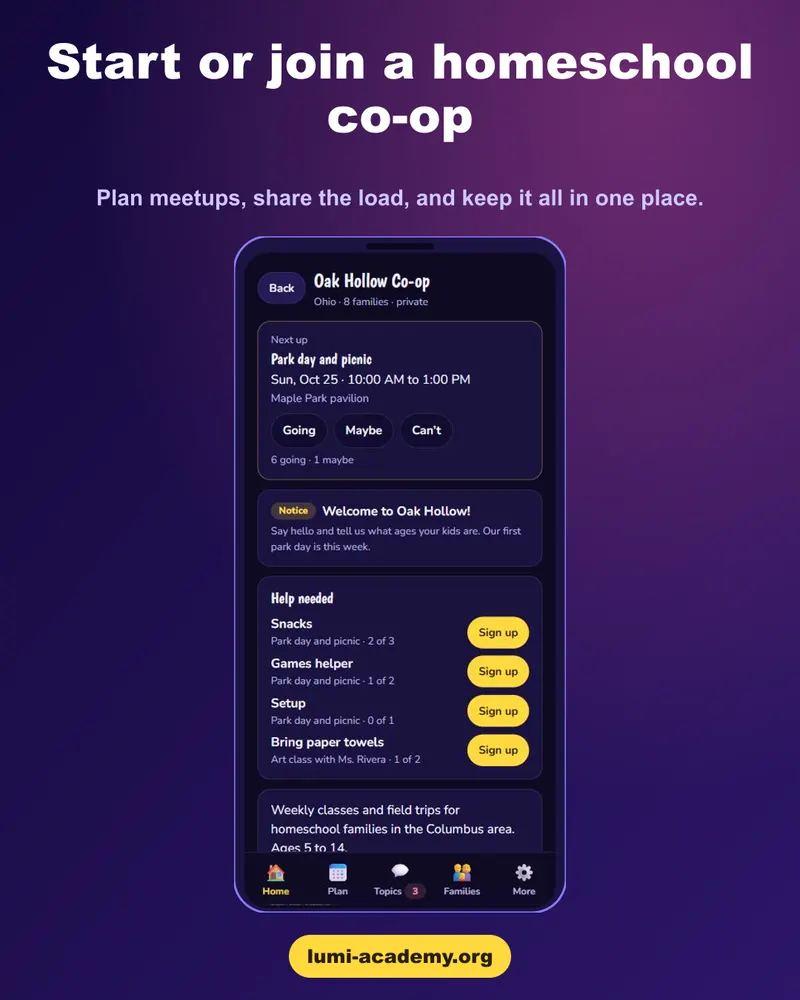
- Lumi Academy lessons for Pre-K through 12th grade, so your co-op days can be about friends and projects, not catching up on curriculum.
- Lumi High comes with Academy, so older kids stay in the same account as their younger siblings.
- One flat plan covers up to 8 learners, and Circles is included on every paid plan.
Start the free 48-hour trial. Circles opens with a paid Lumi Academy or Lumi High plan; the free 48-hour trial lets you try the lessons first, no card needed.
Frequently asked questions
Who can use Lumi Circles?
Active, paying Lumi Academy and Lumi High members. A free trial does not include it, because Circles connects you with real families and we keep it members-only.
Is Lumi Circles a social network for kids?
No. Lumi Circles is for parents only. Kids do not have accounts, profiles or chat in Circles. Parents use it to run co-ops and plan real-life meetups.
Can my child chat with other kids on Lumi?
No. There is no kid chat anywhere in Lumi Circles. Children meet friends in person, at the co-op days and meetups their parents plan.
What happens to messages that get flagged?
Every post is checked before it goes up. Anyone can report a post, and reported posts are hidden while Lumi looks at them.
Does Lumi supervise co-op meetups?
No. Lumi provides the online space. It does not organize, vet, staff or supervise meetups, and parents remain responsible for their own children.
What is Town Square?
Town Square is one text-only room for every paying Lumi parent. Ask questions, share what worked and meet other homeschool parents. Posts are checked before they go up.